Google Ads in the AI Era: Offline Conversion Syncs. Teach Google What a Customer Looks Like.
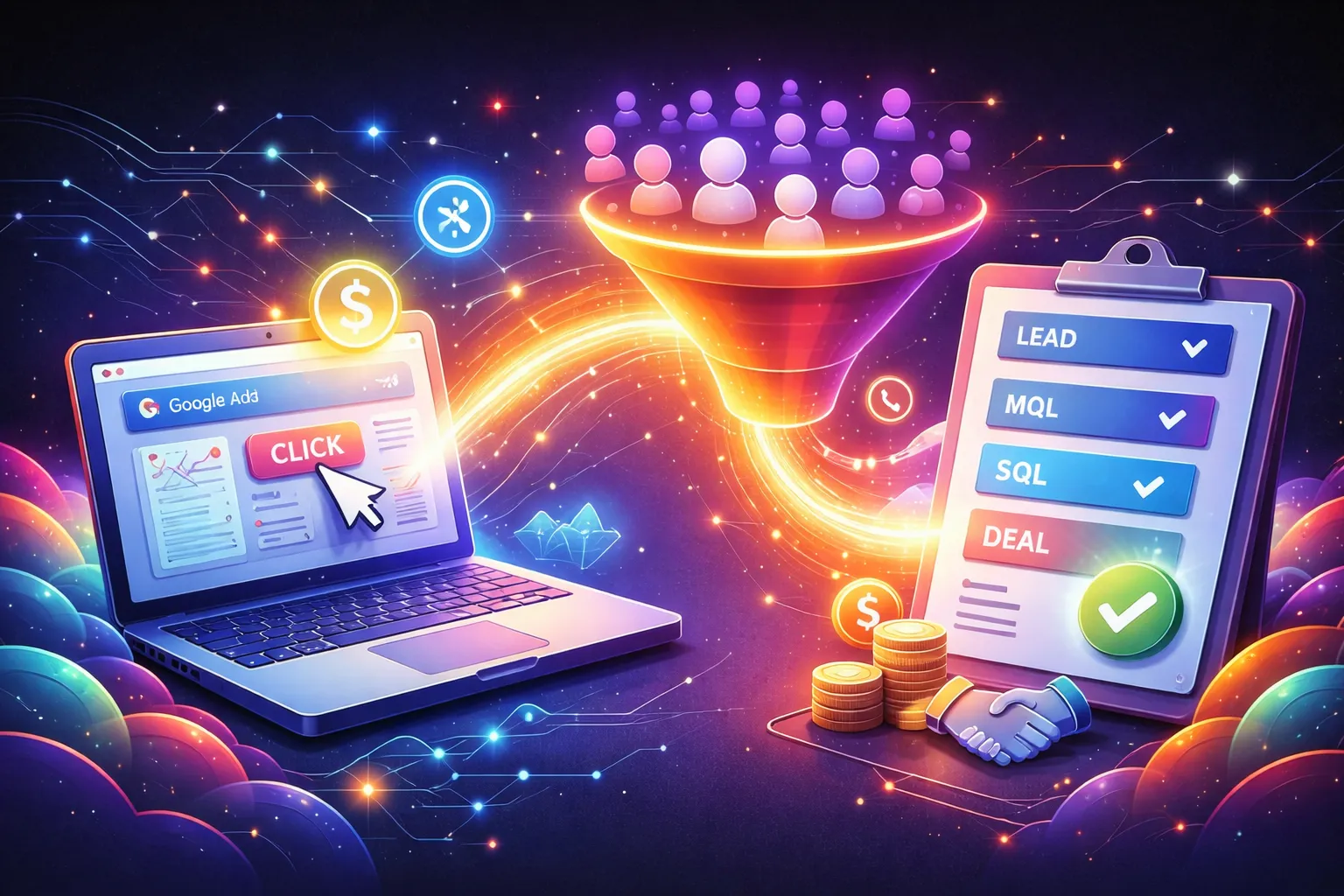
If there is one topic in this series that consistently separates “good” Google Ads accounts from genuinely great ones, it is this.
Offline conversion syncs are not glamorous. They are not a new campaign type. They do not come with a shiny product announcement.
They are simply the mechanism that tells Google what happened after the lead came in.
And in an AI-first Google Ads world, that is everything.
Because if Google only sees “form submitted,” it will optimize toward form submissions. It will find the easiest people to convert, even if sales would never take the meeting.
Offline conversion tracking is how you replace that shallow success signal with something closer to business reality.
What Offline Conversion Syncs Actually Do
Offline conversion imports allow you to send conversion events back into Google Ads that happen outside the website experience, like:
- A lead becoming qualified
- A sales meeting being booked
- An opportunity being created
- A deal being closed
- Revenue being generated
Google’s own framing is simple: importing offline conversions helps measure what happens in the offline world after an ad click or call.
The real value is not reporting. It is optimization.
When you feed back deeper outcomes, Smart Bidding and automated campaign types can learn what “good” looks like and adjust who they go after.
Why This Matters More Now Than It Did Two Years Ago
AI Max, Performance Max, Demand Gen, Smart Bidding. The platform is moving toward automation across the board.
Automation is a multiplier:
- If the conversion signal is weak, you get weak outcomes faster.
- If the conversion signal reflects pipeline and revenue, you get better outcomes faster.
Offline syncs are how you upgrade the signal.
This is also why Google is pushing advertisers to upgrade legacy offline conversion imports to “enhanced conversions for leads,” including through Data Manager, API, and third-party integrations like HubSpot and Zapier.
The Concept That Changes Everything: Stop Optimizing for Leads. Optimize for Outcomes.
Most lead gen accounts are effectively asking Google to answer an impossible question:
“Please find people who will become customers, but we will only tell you who filled out a form.”
Offline conversion syncs are how you answer that question with real data:
- Which leads were qualified?
- Which became opportunities?
- Which closed?
- How much revenue did they generate?
Once you do that, you stop buying “leads.” You start buying pipeline.
The Simple Model: Click Identifier In, Outcome Back Out
At a practical level, there are two common methods:
Method 1: Click ID based matching (cleanest)
You capture and store a click identifier at the time of the click, then upload the offline outcome later. Google’s API supports using exactly one identifier per uploaded conversion: GCLID, GBRAID, or WBRAID.
This is the most direct way to match an outcome to an ad click.
Method 2: Enhanced conversions for leads (durability and match improvements)
Enhanced conversions for leads can improve accuracy by using hashed first-party user data when you upload offline outcomes (typically alongside your click identifiers and lead data).
You do not need to be an engineer to benefit from this, but you do need to treat it like a real implementation, not a checkbox.
Timing Rules That Will Bite You If You Ignore Them
Offline conversion data is not an “upload whenever” situation.
Google has strict timing windows. Two that matter most:
- Offline conversions uploaded more than 90 days after the last click will not be imported.
- For enhanced conversions for leads, uploads more than 63 days after the last click will not be imported.
This is why teams who “batch upload once per quarter” often think offline conversion tracking “doesn’t work.”
It works. They waited too long.
Practical takeaway: build a process that uploads frequently enough to stay inside the window.
What You Should Upload: Keep It Simple and Meaningful
You do not need 15 conversion actions. Start with 2–4 that reflect real progression.
Common B2B outcomes to upload:
- Qualified Lead
- Meeting Booked
- Opportunity Created
- Closed Won (with revenue value if possible)
Google’s own guidance calls out “Qualified lead” or “Converted lead” as best-practice goals when setting up enhanced conversions for leads.
The point is not complexity. The point is teaching the system what you actually want.
The Overdrive Playbook: How to Implement Without Turning It Into a Science Project
1) Choose outcomes your sales team believes in
If sales does not trust the stage definition, the data will drift and the system will learn the wrong lesson.
Pick outcomes with clear criteria.
2) Keep naming conventions consistent
Uploads fail for dumb reasons. The most common is mismatch between what Google expects and what you send.
Consistency wins here.
3) Upload quickly and regularly
You want the AI learning loop to be tight. Also, you want to stay inside the upload windows.
4) Start with one channel, then scale
If you are running PMax, Search, and Demand Gen, do not try to implement everything at once.
Start with your biggest spend driver, get the pipeline loop working, then expand.
5) Use an integration when it saves time
If you are on HubSpot, there are native and recommended pathways for syncing conversion events and leveraging enhanced conversions for leads.
You are trying to build reliability, not earn a badge for doing it the hard way.
Common Mistakes That Make Offline Syncs Look “Useless”
- Optimizing on form fills while uploading qualified outcomes only for reporting
If bidding is still pointed at the shallow conversion, Google will still chase shallow wins. - Waiting too long to upload
The 90-day and 63-day windows exist whether you like them or not. - Uploading outcomes with inconsistent criteria
If “qualified lead” means different things from rep to rep, the model learns noise. - Not sending values when revenue is the goal
If you can responsibly send revenue values (even ranges), you give the system a stronger sense of what to prioritize. - Expecting instant transformation
Offline conversion syncs are powerful, but the system still needs time and volume to learn. Treat it like training, not a switch.
What Changes After You Turn This On
When offline outcomes flow back into Google, a few things tend to happen (when implemented well):
- Lead quality improves because optimization has a better target
- Spend becomes easier to defend because results map to pipeline
- Automated campaigns become less “mysterious” because you can connect performance to sales outcomes
This is also the bridge to Post 4.
Because once you start measuring real outcomes, the next question becomes: “Did our ads create incremental demand, or did we just capture what would have happened anyway?”
That is where lift tests come in.
Series navigation
- Series: Google Ads in the AI Era
- Previous: Post 2, Google Ads in the AI Era: Performance Max for High-Quality Leads
- Next: Post 4, Lift Tests: Proving Incrementality When Attribution Gets Noisy (coming next)
Why Overdrive
At Overdrive, we treat offline conversion syncs as the foundation of modern Google Ads performance. We help teams define meaningful lifecycle outcomes, implement reliable syncing, and align bidding with what actually drives revenue, so automation optimizes toward pipeline instead of cheap lead volume.



Google Ads in the AI Era: Offline Conversion Syncs. Teach Google What a Customer Looks Like.
Download the guide to:
If there is one topic in this series that consistently separates “good” Google Ads accounts from genuinely great ones, it is this.
Offline conversion syncs are not glamorous. They are not a new campaign type. They do not come with a shiny product announcement.
They are simply the mechanism that tells Google what happened after the lead came in.
And in an AI-first Google Ads world, that is everything.
Because if Google only sees “form submitted,” it will optimize toward form submissions. It will find the easiest people to convert, even if sales would never take the meeting.
Offline conversion tracking is how you replace that shallow success signal with something closer to business reality.
What Offline Conversion Syncs Actually Do
Offline conversion imports allow you to send conversion events back into Google Ads that happen outside the website experience, like:
- A lead becoming qualified
- A sales meeting being booked
- An opportunity being created
- A deal being closed
- Revenue being generated
Google’s own framing is simple: importing offline conversions helps measure what happens in the offline world after an ad click or call.
The real value is not reporting. It is optimization.
When you feed back deeper outcomes, Smart Bidding and automated campaign types can learn what “good” looks like and adjust who they go after.
Why This Matters More Now Than It Did Two Years Ago
AI Max, Performance Max, Demand Gen, Smart Bidding. The platform is moving toward automation across the board.
Automation is a multiplier:
- If the conversion signal is weak, you get weak outcomes faster.
- If the conversion signal reflects pipeline and revenue, you get better outcomes faster.
Offline syncs are how you upgrade the signal.
This is also why Google is pushing advertisers to upgrade legacy offline conversion imports to “enhanced conversions for leads,” including through Data Manager, API, and third-party integrations like HubSpot and Zapier.
The Concept That Changes Everything: Stop Optimizing for Leads. Optimize for Outcomes.
Most lead gen accounts are effectively asking Google to answer an impossible question:
“Please find people who will become customers, but we will only tell you who filled out a form.”
Offline conversion syncs are how you answer that question with real data:
- Which leads were qualified?
- Which became opportunities?
- Which closed?
- How much revenue did they generate?
Once you do that, you stop buying “leads.” You start buying pipeline.
The Simple Model: Click Identifier In, Outcome Back Out
At a practical level, there are two common methods:
Method 1: Click ID based matching (cleanest)
You capture and store a click identifier at the time of the click, then upload the offline outcome later. Google’s API supports using exactly one identifier per uploaded conversion: GCLID, GBRAID, or WBRAID.
This is the most direct way to match an outcome to an ad click.
Method 2: Enhanced conversions for leads (durability and match improvements)
Enhanced conversions for leads can improve accuracy by using hashed first-party user data when you upload offline outcomes (typically alongside your click identifiers and lead data).
You do not need to be an engineer to benefit from this, but you do need to treat it like a real implementation, not a checkbox.
Timing Rules That Will Bite You If You Ignore Them
Offline conversion data is not an “upload whenever” situation.
Google has strict timing windows. Two that matter most:
- Offline conversions uploaded more than 90 days after the last click will not be imported.
- For enhanced conversions for leads, uploads more than 63 days after the last click will not be imported.
This is why teams who “batch upload once per quarter” often think offline conversion tracking “doesn’t work.”
It works. They waited too long.
Practical takeaway: build a process that uploads frequently enough to stay inside the window.
What You Should Upload: Keep It Simple and Meaningful
You do not need 15 conversion actions. Start with 2–4 that reflect real progression.
Common B2B outcomes to upload:
- Qualified Lead
- Meeting Booked
- Opportunity Created
- Closed Won (with revenue value if possible)
Google’s own guidance calls out “Qualified lead” or “Converted lead” as best-practice goals when setting up enhanced conversions for leads.
The point is not complexity. The point is teaching the system what you actually want.
The Overdrive Playbook: How to Implement Without Turning It Into a Science Project
1) Choose outcomes your sales team believes in
If sales does not trust the stage definition, the data will drift and the system will learn the wrong lesson.
Pick outcomes with clear criteria.
2) Keep naming conventions consistent
Uploads fail for dumb reasons. The most common is mismatch between what Google expects and what you send.
Consistency wins here.
3) Upload quickly and regularly
You want the AI learning loop to be tight. Also, you want to stay inside the upload windows.
4) Start with one channel, then scale
If you are running PMax, Search, and Demand Gen, do not try to implement everything at once.
Start with your biggest spend driver, get the pipeline loop working, then expand.
5) Use an integration when it saves time
If you are on HubSpot, there are native and recommended pathways for syncing conversion events and leveraging enhanced conversions for leads.
You are trying to build reliability, not earn a badge for doing it the hard way.
Common Mistakes That Make Offline Syncs Look “Useless”
- Optimizing on form fills while uploading qualified outcomes only for reporting
If bidding is still pointed at the shallow conversion, Google will still chase shallow wins. - Waiting too long to upload
The 90-day and 63-day windows exist whether you like them or not. - Uploading outcomes with inconsistent criteria
If “qualified lead” means different things from rep to rep, the model learns noise. - Not sending values when revenue is the goal
If you can responsibly send revenue values (even ranges), you give the system a stronger sense of what to prioritize. - Expecting instant transformation
Offline conversion syncs are powerful, but the system still needs time and volume to learn. Treat it like training, not a switch.
What Changes After You Turn This On
When offline outcomes flow back into Google, a few things tend to happen (when implemented well):
- Lead quality improves because optimization has a better target
- Spend becomes easier to defend because results map to pipeline
- Automated campaigns become less “mysterious” because you can connect performance to sales outcomes
This is also the bridge to Post 4.
Because once you start measuring real outcomes, the next question becomes: “Did our ads create incremental demand, or did we just capture what would have happened anyway?”
That is where lift tests come in.
Series navigation
- Series: Google Ads in the AI Era
- Previous: Post 2, Google Ads in the AI Era: Performance Max for High-Quality Leads
- Next: Post 4, Lift Tests: Proving Incrementality When Attribution Gets Noisy (coming next)
Why Overdrive
At Overdrive, we treat offline conversion syncs as the foundation of modern Google Ads performance. We help teams define meaningful lifecycle outcomes, implement reliable syncing, and align bidding with what actually drives revenue, so automation optimizes toward pipeline instead of cheap lead volume.
Google Ads in the AI Era: Offline Conversion Syncs. Teach Google What a Customer Looks Like.
Download the guide to:
If there is one topic in this series that consistently separates “good” Google Ads accounts from genuinely great ones, it is this.
Offline conversion syncs are not glamorous. They are not a new campaign type. They do not come with a shiny product announcement.
They are simply the mechanism that tells Google what happened after the lead came in.
And in an AI-first Google Ads world, that is everything.
Because if Google only sees “form submitted,” it will optimize toward form submissions. It will find the easiest people to convert, even if sales would never take the meeting.
Offline conversion tracking is how you replace that shallow success signal with something closer to business reality.
What Offline Conversion Syncs Actually Do
Offline conversion imports allow you to send conversion events back into Google Ads that happen outside the website experience, like:
- A lead becoming qualified
- A sales meeting being booked
- An opportunity being created
- A deal being closed
- Revenue being generated
Google’s own framing is simple: importing offline conversions helps measure what happens in the offline world after an ad click or call.
The real value is not reporting. It is optimization.
When you feed back deeper outcomes, Smart Bidding and automated campaign types can learn what “good” looks like and adjust who they go after.
Why This Matters More Now Than It Did Two Years Ago
AI Max, Performance Max, Demand Gen, Smart Bidding. The platform is moving toward automation across the board.
Automation is a multiplier:
- If the conversion signal is weak, you get weak outcomes faster.
- If the conversion signal reflects pipeline and revenue, you get better outcomes faster.
Offline syncs are how you upgrade the signal.
This is also why Google is pushing advertisers to upgrade legacy offline conversion imports to “enhanced conversions for leads,” including through Data Manager, API, and third-party integrations like HubSpot and Zapier.
The Concept That Changes Everything: Stop Optimizing for Leads. Optimize for Outcomes.
Most lead gen accounts are effectively asking Google to answer an impossible question:
“Please find people who will become customers, but we will only tell you who filled out a form.”
Offline conversion syncs are how you answer that question with real data:
- Which leads were qualified?
- Which became opportunities?
- Which closed?
- How much revenue did they generate?
Once you do that, you stop buying “leads.” You start buying pipeline.
The Simple Model: Click Identifier In, Outcome Back Out
At a practical level, there are two common methods:
Method 1: Click ID based matching (cleanest)
You capture and store a click identifier at the time of the click, then upload the offline outcome later. Google’s API supports using exactly one identifier per uploaded conversion: GCLID, GBRAID, or WBRAID.
This is the most direct way to match an outcome to an ad click.
Method 2: Enhanced conversions for leads (durability and match improvements)
Enhanced conversions for leads can improve accuracy by using hashed first-party user data when you upload offline outcomes (typically alongside your click identifiers and lead data).
You do not need to be an engineer to benefit from this, but you do need to treat it like a real implementation, not a checkbox.
Timing Rules That Will Bite You If You Ignore Them
Offline conversion data is not an “upload whenever” situation.
Google has strict timing windows. Two that matter most:
- Offline conversions uploaded more than 90 days after the last click will not be imported.
- For enhanced conversions for leads, uploads more than 63 days after the last click will not be imported.
This is why teams who “batch upload once per quarter” often think offline conversion tracking “doesn’t work.”
It works. They waited too long.
Practical takeaway: build a process that uploads frequently enough to stay inside the window.
What You Should Upload: Keep It Simple and Meaningful
You do not need 15 conversion actions. Start with 2–4 that reflect real progression.
Common B2B outcomes to upload:
- Qualified Lead
- Meeting Booked
- Opportunity Created
- Closed Won (with revenue value if possible)
Google’s own guidance calls out “Qualified lead” or “Converted lead” as best-practice goals when setting up enhanced conversions for leads.
The point is not complexity. The point is teaching the system what you actually want.
The Overdrive Playbook: How to Implement Without Turning It Into a Science Project
1) Choose outcomes your sales team believes in
If sales does not trust the stage definition, the data will drift and the system will learn the wrong lesson.
Pick outcomes with clear criteria.
2) Keep naming conventions consistent
Uploads fail for dumb reasons. The most common is mismatch between what Google expects and what you send.
Consistency wins here.
3) Upload quickly and regularly
You want the AI learning loop to be tight. Also, you want to stay inside the upload windows.
4) Start with one channel, then scale
If you are running PMax, Search, and Demand Gen, do not try to implement everything at once.
Start with your biggest spend driver, get the pipeline loop working, then expand.
5) Use an integration when it saves time
If you are on HubSpot, there are native and recommended pathways for syncing conversion events and leveraging enhanced conversions for leads.
You are trying to build reliability, not earn a badge for doing it the hard way.
Common Mistakes That Make Offline Syncs Look “Useless”
- Optimizing on form fills while uploading qualified outcomes only for reporting
If bidding is still pointed at the shallow conversion, Google will still chase shallow wins. - Waiting too long to upload
The 90-day and 63-day windows exist whether you like them or not. - Uploading outcomes with inconsistent criteria
If “qualified lead” means different things from rep to rep, the model learns noise. - Not sending values when revenue is the goal
If you can responsibly send revenue values (even ranges), you give the system a stronger sense of what to prioritize. - Expecting instant transformation
Offline conversion syncs are powerful, but the system still needs time and volume to learn. Treat it like training, not a switch.
What Changes After You Turn This On
When offline outcomes flow back into Google, a few things tend to happen (when implemented well):
- Lead quality improves because optimization has a better target
- Spend becomes easier to defend because results map to pipeline
- Automated campaigns become less “mysterious” because you can connect performance to sales outcomes
This is also the bridge to Post 4.
Because once you start measuring real outcomes, the next question becomes: “Did our ads create incremental demand, or did we just capture what would have happened anyway?”
That is where lift tests come in.
Series navigation
- Series: Google Ads in the AI Era
- Previous: Post 2, Google Ads in the AI Era: Performance Max for High-Quality Leads
- Next: Post 4, Lift Tests: Proving Incrementality When Attribution Gets Noisy (coming next)
Why Overdrive
At Overdrive, we treat offline conversion syncs as the foundation of modern Google Ads performance. We help teams define meaningful lifecycle outcomes, implement reliable syncing, and align bidding with what actually drives revenue, so automation optimizes toward pipeline instead of cheap lead volume.
Google Ads in the AI Era: Offline Conversion Syncs. Teach Google What a Customer Looks Like.
Key Insights From Our Research
If there is one topic in this series that consistently separates “good” Google Ads accounts from genuinely great ones, it is this.
Offline conversion syncs are not glamorous. They are not a new campaign type. They do not come with a shiny product announcement.
They are simply the mechanism that tells Google what happened after the lead came in.
And in an AI-first Google Ads world, that is everything.
Because if Google only sees “form submitted,” it will optimize toward form submissions. It will find the easiest people to convert, even if sales would never take the meeting.
Offline conversion tracking is how you replace that shallow success signal with something closer to business reality.
What Offline Conversion Syncs Actually Do
Offline conversion imports allow you to send conversion events back into Google Ads that happen outside the website experience, like:
- A lead becoming qualified
- A sales meeting being booked
- An opportunity being created
- A deal being closed
- Revenue being generated
Google’s own framing is simple: importing offline conversions helps measure what happens in the offline world after an ad click or call.
The real value is not reporting. It is optimization.
When you feed back deeper outcomes, Smart Bidding and automated campaign types can learn what “good” looks like and adjust who they go after.
Why This Matters More Now Than It Did Two Years Ago
AI Max, Performance Max, Demand Gen, Smart Bidding. The platform is moving toward automation across the board.
Automation is a multiplier:
- If the conversion signal is weak, you get weak outcomes faster.
- If the conversion signal reflects pipeline and revenue, you get better outcomes faster.
Offline syncs are how you upgrade the signal.
This is also why Google is pushing advertisers to upgrade legacy offline conversion imports to “enhanced conversions for leads,” including through Data Manager, API, and third-party integrations like HubSpot and Zapier.
The Concept That Changes Everything: Stop Optimizing for Leads. Optimize for Outcomes.
Most lead gen accounts are effectively asking Google to answer an impossible question:
“Please find people who will become customers, but we will only tell you who filled out a form.”
Offline conversion syncs are how you answer that question with real data:
- Which leads were qualified?
- Which became opportunities?
- Which closed?
- How much revenue did they generate?
Once you do that, you stop buying “leads.” You start buying pipeline.
The Simple Model: Click Identifier In, Outcome Back Out
At a practical level, there are two common methods:
Method 1: Click ID based matching (cleanest)
You capture and store a click identifier at the time of the click, then upload the offline outcome later. Google’s API supports using exactly one identifier per uploaded conversion: GCLID, GBRAID, or WBRAID.
This is the most direct way to match an outcome to an ad click.
Method 2: Enhanced conversions for leads (durability and match improvements)
Enhanced conversions for leads can improve accuracy by using hashed first-party user data when you upload offline outcomes (typically alongside your click identifiers and lead data).
You do not need to be an engineer to benefit from this, but you do need to treat it like a real implementation, not a checkbox.
Timing Rules That Will Bite You If You Ignore Them
Offline conversion data is not an “upload whenever” situation.
Google has strict timing windows. Two that matter most:
- Offline conversions uploaded more than 90 days after the last click will not be imported.
- For enhanced conversions for leads, uploads more than 63 days after the last click will not be imported.
This is why teams who “batch upload once per quarter” often think offline conversion tracking “doesn’t work.”
It works. They waited too long.
Practical takeaway: build a process that uploads frequently enough to stay inside the window.
What You Should Upload: Keep It Simple and Meaningful
You do not need 15 conversion actions. Start with 2–4 that reflect real progression.
Common B2B outcomes to upload:
- Qualified Lead
- Meeting Booked
- Opportunity Created
- Closed Won (with revenue value if possible)
Google’s own guidance calls out “Qualified lead” or “Converted lead” as best-practice goals when setting up enhanced conversions for leads.
The point is not complexity. The point is teaching the system what you actually want.
The Overdrive Playbook: How to Implement Without Turning It Into a Science Project
1) Choose outcomes your sales team believes in
If sales does not trust the stage definition, the data will drift and the system will learn the wrong lesson.
Pick outcomes with clear criteria.
2) Keep naming conventions consistent
Uploads fail for dumb reasons. The most common is mismatch between what Google expects and what you send.
Consistency wins here.
3) Upload quickly and regularly
You want the AI learning loop to be tight. Also, you want to stay inside the upload windows.
4) Start with one channel, then scale
If you are running PMax, Search, and Demand Gen, do not try to implement everything at once.
Start with your biggest spend driver, get the pipeline loop working, then expand.
5) Use an integration when it saves time
If you are on HubSpot, there are native and recommended pathways for syncing conversion events and leveraging enhanced conversions for leads.
You are trying to build reliability, not earn a badge for doing it the hard way.
Common Mistakes That Make Offline Syncs Look “Useless”
- Optimizing on form fills while uploading qualified outcomes only for reporting
If bidding is still pointed at the shallow conversion, Google will still chase shallow wins. - Waiting too long to upload
The 90-day and 63-day windows exist whether you like them or not. - Uploading outcomes with inconsistent criteria
If “qualified lead” means different things from rep to rep, the model learns noise. - Not sending values when revenue is the goal
If you can responsibly send revenue values (even ranges), you give the system a stronger sense of what to prioritize. - Expecting instant transformation
Offline conversion syncs are powerful, but the system still needs time and volume to learn. Treat it like training, not a switch.
What Changes After You Turn This On
When offline outcomes flow back into Google, a few things tend to happen (when implemented well):
- Lead quality improves because optimization has a better target
- Spend becomes easier to defend because results map to pipeline
- Automated campaigns become less “mysterious” because you can connect performance to sales outcomes
This is also the bridge to Post 4.
Because once you start measuring real outcomes, the next question becomes: “Did our ads create incremental demand, or did we just capture what would have happened anyway?”
That is where lift tests come in.
Series navigation
- Series: Google Ads in the AI Era
- Previous: Post 2, Google Ads in the AI Era: Performance Max for High-Quality Leads
- Next: Post 4, Lift Tests: Proving Incrementality When Attribution Gets Noisy (coming next)
Why Overdrive
At Overdrive, we treat offline conversion syncs as the foundation of modern Google Ads performance. We help teams define meaningful lifecycle outcomes, implement reliable syncing, and align bidding with what actually drives revenue, so automation optimizes toward pipeline instead of cheap lead volume.
Google Ads in the AI Era: Offline Conversion Syncs. Teach Google What a Customer Looks Like.
Get the Complete Whitepaper
Google Ads in the AI Era: Offline Conversion Syncs. Teach Google What a Customer Looks Like.
If there is one topic in this series that consistently separates “good” Google Ads accounts from genuinely great ones, it is this.
Offline conversion syncs are not glamorous. They are not a new campaign type. They do not come with a shiny product announcement.
They are simply the mechanism that tells Google what happened after the lead came in.
And in an AI-first Google Ads world, that is everything.
Because if Google only sees “form submitted,” it will optimize toward form submissions. It will find the easiest people to convert, even if sales would never take the meeting.
Offline conversion tracking is how you replace that shallow success signal with something closer to business reality.
What Offline Conversion Syncs Actually Do
Offline conversion imports allow you to send conversion events back into Google Ads that happen outside the website experience, like:
- A lead becoming qualified
- A sales meeting being booked
- An opportunity being created
- A deal being closed
- Revenue being generated
Google’s own framing is simple: importing offline conversions helps measure what happens in the offline world after an ad click or call.
The real value is not reporting. It is optimization.
When you feed back deeper outcomes, Smart Bidding and automated campaign types can learn what “good” looks like and adjust who they go after.
Why This Matters More Now Than It Did Two Years Ago
AI Max, Performance Max, Demand Gen, Smart Bidding. The platform is moving toward automation across the board.
Automation is a multiplier:
- If the conversion signal is weak, you get weak outcomes faster.
- If the conversion signal reflects pipeline and revenue, you get better outcomes faster.
Offline syncs are how you upgrade the signal.
This is also why Google is pushing advertisers to upgrade legacy offline conversion imports to “enhanced conversions for leads,” including through Data Manager, API, and third-party integrations like HubSpot and Zapier.
The Concept That Changes Everything: Stop Optimizing for Leads. Optimize for Outcomes.
Most lead gen accounts are effectively asking Google to answer an impossible question:
“Please find people who will become customers, but we will only tell you who filled out a form.”
Offline conversion syncs are how you answer that question with real data:
- Which leads were qualified?
- Which became opportunities?
- Which closed?
- How much revenue did they generate?
Once you do that, you stop buying “leads.” You start buying pipeline.
The Simple Model: Click Identifier In, Outcome Back Out
At a practical level, there are two common methods:
Method 1: Click ID based matching (cleanest)
You capture and store a click identifier at the time of the click, then upload the offline outcome later. Google’s API supports using exactly one identifier per uploaded conversion: GCLID, GBRAID, or WBRAID.
This is the most direct way to match an outcome to an ad click.
Method 2: Enhanced conversions for leads (durability and match improvements)
Enhanced conversions for leads can improve accuracy by using hashed first-party user data when you upload offline outcomes (typically alongside your click identifiers and lead data).
You do not need to be an engineer to benefit from this, but you do need to treat it like a real implementation, not a checkbox.
Timing Rules That Will Bite You If You Ignore Them
Offline conversion data is not an “upload whenever” situation.
Google has strict timing windows. Two that matter most:
- Offline conversions uploaded more than 90 days after the last click will not be imported.
- For enhanced conversions for leads, uploads more than 63 days after the last click will not be imported.
This is why teams who “batch upload once per quarter” often think offline conversion tracking “doesn’t work.”
It works. They waited too long.
Practical takeaway: build a process that uploads frequently enough to stay inside the window.
What You Should Upload: Keep It Simple and Meaningful
You do not need 15 conversion actions. Start with 2–4 that reflect real progression.
Common B2B outcomes to upload:
- Qualified Lead
- Meeting Booked
- Opportunity Created
- Closed Won (with revenue value if possible)
Google’s own guidance calls out “Qualified lead” or “Converted lead” as best-practice goals when setting up enhanced conversions for leads.
The point is not complexity. The point is teaching the system what you actually want.
The Overdrive Playbook: How to Implement Without Turning It Into a Science Project
1) Choose outcomes your sales team believes in
If sales does not trust the stage definition, the data will drift and the system will learn the wrong lesson.
Pick outcomes with clear criteria.
2) Keep naming conventions consistent
Uploads fail for dumb reasons. The most common is mismatch between what Google expects and what you send.
Consistency wins here.
3) Upload quickly and regularly
You want the AI learning loop to be tight. Also, you want to stay inside the upload windows.
4) Start with one channel, then scale
If you are running PMax, Search, and Demand Gen, do not try to implement everything at once.
Start with your biggest spend driver, get the pipeline loop working, then expand.
5) Use an integration when it saves time
If you are on HubSpot, there are native and recommended pathways for syncing conversion events and leveraging enhanced conversions for leads.
You are trying to build reliability, not earn a badge for doing it the hard way.
Common Mistakes That Make Offline Syncs Look “Useless”
- Optimizing on form fills while uploading qualified outcomes only for reporting
If bidding is still pointed at the shallow conversion, Google will still chase shallow wins. - Waiting too long to upload
The 90-day and 63-day windows exist whether you like them or not. - Uploading outcomes with inconsistent criteria
If “qualified lead” means different things from rep to rep, the model learns noise. - Not sending values when revenue is the goal
If you can responsibly send revenue values (even ranges), you give the system a stronger sense of what to prioritize. - Expecting instant transformation
Offline conversion syncs are powerful, but the system still needs time and volume to learn. Treat it like training, not a switch.
What Changes After You Turn This On
When offline outcomes flow back into Google, a few things tend to happen (when implemented well):
- Lead quality improves because optimization has a better target
- Spend becomes easier to defend because results map to pipeline
- Automated campaigns become less “mysterious” because you can connect performance to sales outcomes
This is also the bridge to Post 4.
Because once you start measuring real outcomes, the next question becomes: “Did our ads create incremental demand, or did we just capture what would have happened anyway?”
That is where lift tests come in.
Series navigation
- Series: Google Ads in the AI Era
- Previous: Post 2, Google Ads in the AI Era: Performance Max for High-Quality Leads
- Next: Post 4, Lift Tests: Proving Incrementality When Attribution Gets Noisy (coming next)
Why Overdrive
At Overdrive, we treat offline conversion syncs as the foundation of modern Google Ads performance. We help teams define meaningful lifecycle outcomes, implement reliable syncing, and align bidding with what actually drives revenue, so automation optimizes toward pipeline instead of cheap lead volume.
Google Ads in the AI Era: Offline Conversion Syncs. Teach Google What a Customer Looks Like.
Get the Slides
Google Ads in the AI Era: Offline Conversion Syncs. Teach Google What a Customer Looks Like.
If there is one topic in this series that consistently separates “good” Google Ads accounts from genuinely great ones, it is this.
Offline conversion syncs are not glamorous. They are not a new campaign type. They do not come with a shiny product announcement.
They are simply the mechanism that tells Google what happened after the lead came in.
And in an AI-first Google Ads world, that is everything.
Because if Google only sees “form submitted,” it will optimize toward form submissions. It will find the easiest people to convert, even if sales would never take the meeting.
Offline conversion tracking is how you replace that shallow success signal with something closer to business reality.
What Offline Conversion Syncs Actually Do
Offline conversion imports allow you to send conversion events back into Google Ads that happen outside the website experience, like:
- A lead becoming qualified
- A sales meeting being booked
- An opportunity being created
- A deal being closed
- Revenue being generated
Google’s own framing is simple: importing offline conversions helps measure what happens in the offline world after an ad click or call.
The real value is not reporting. It is optimization.
When you feed back deeper outcomes, Smart Bidding and automated campaign types can learn what “good” looks like and adjust who they go after.
Why This Matters More Now Than It Did Two Years Ago
AI Max, Performance Max, Demand Gen, Smart Bidding. The platform is moving toward automation across the board.
Automation is a multiplier:
- If the conversion signal is weak, you get weak outcomes faster.
- If the conversion signal reflects pipeline and revenue, you get better outcomes faster.
Offline syncs are how you upgrade the signal.
This is also why Google is pushing advertisers to upgrade legacy offline conversion imports to “enhanced conversions for leads,” including through Data Manager, API, and third-party integrations like HubSpot and Zapier.
The Concept That Changes Everything: Stop Optimizing for Leads. Optimize for Outcomes.
Most lead gen accounts are effectively asking Google to answer an impossible question:
“Please find people who will become customers, but we will only tell you who filled out a form.”
Offline conversion syncs are how you answer that question with real data:
- Which leads were qualified?
- Which became opportunities?
- Which closed?
- How much revenue did they generate?
Once you do that, you stop buying “leads.” You start buying pipeline.
The Simple Model: Click Identifier In, Outcome Back Out
At a practical level, there are two common methods:
Method 1: Click ID based matching (cleanest)
You capture and store a click identifier at the time of the click, then upload the offline outcome later. Google’s API supports using exactly one identifier per uploaded conversion: GCLID, GBRAID, or WBRAID.
This is the most direct way to match an outcome to an ad click.
Method 2: Enhanced conversions for leads (durability and match improvements)
Enhanced conversions for leads can improve accuracy by using hashed first-party user data when you upload offline outcomes (typically alongside your click identifiers and lead data).
You do not need to be an engineer to benefit from this, but you do need to treat it like a real implementation, not a checkbox.
Timing Rules That Will Bite You If You Ignore Them
Offline conversion data is not an “upload whenever” situation.
Google has strict timing windows. Two that matter most:
- Offline conversions uploaded more than 90 days after the last click will not be imported.
- For enhanced conversions for leads, uploads more than 63 days after the last click will not be imported.
This is why teams who “batch upload once per quarter” often think offline conversion tracking “doesn’t work.”
It works. They waited too long.
Practical takeaway: build a process that uploads frequently enough to stay inside the window.
What You Should Upload: Keep It Simple and Meaningful
You do not need 15 conversion actions. Start with 2–4 that reflect real progression.
Common B2B outcomes to upload:
- Qualified Lead
- Meeting Booked
- Opportunity Created
- Closed Won (with revenue value if possible)
Google’s own guidance calls out “Qualified lead” or “Converted lead” as best-practice goals when setting up enhanced conversions for leads.
The point is not complexity. The point is teaching the system what you actually want.
The Overdrive Playbook: How to Implement Without Turning It Into a Science Project
1) Choose outcomes your sales team believes in
If sales does not trust the stage definition, the data will drift and the system will learn the wrong lesson.
Pick outcomes with clear criteria.
2) Keep naming conventions consistent
Uploads fail for dumb reasons. The most common is mismatch between what Google expects and what you send.
Consistency wins here.
3) Upload quickly and regularly
You want the AI learning loop to be tight. Also, you want to stay inside the upload windows.
4) Start with one channel, then scale
If you are running PMax, Search, and Demand Gen, do not try to implement everything at once.
Start with your biggest spend driver, get the pipeline loop working, then expand.
5) Use an integration when it saves time
If you are on HubSpot, there are native and recommended pathways for syncing conversion events and leveraging enhanced conversions for leads.
You are trying to build reliability, not earn a badge for doing it the hard way.
Common Mistakes That Make Offline Syncs Look “Useless”
- Optimizing on form fills while uploading qualified outcomes only for reporting
If bidding is still pointed at the shallow conversion, Google will still chase shallow wins. - Waiting too long to upload
The 90-day and 63-day windows exist whether you like them or not. - Uploading outcomes with inconsistent criteria
If “qualified lead” means different things from rep to rep, the model learns noise. - Not sending values when revenue is the goal
If you can responsibly send revenue values (even ranges), you give the system a stronger sense of what to prioritize. - Expecting instant transformation
Offline conversion syncs are powerful, but the system still needs time and volume to learn. Treat it like training, not a switch.
What Changes After You Turn This On
When offline outcomes flow back into Google, a few things tend to happen (when implemented well):
- Lead quality improves because optimization has a better target
- Spend becomes easier to defend because results map to pipeline
- Automated campaigns become less “mysterious” because you can connect performance to sales outcomes
This is also the bridge to Post 4.
Because once you start measuring real outcomes, the next question becomes: “Did our ads create incremental demand, or did we just capture what would have happened anyway?”
That is where lift tests come in.
Series navigation
- Series: Google Ads in the AI Era
- Previous: Post 2, Google Ads in the AI Era: Performance Max for High-Quality Leads
- Next: Post 4, Lift Tests: Proving Incrementality When Attribution Gets Noisy (coming next)
Why Overdrive
At Overdrive, we treat offline conversion syncs as the foundation of modern Google Ads performance. We help teams define meaningful lifecycle outcomes, implement reliable syncing, and align bidding with what actually drives revenue, so automation optimizes toward pipeline instead of cheap lead volume.
Google Ads in the AI Era: Offline Conversion Syncs. Teach Google What a Customer Looks Like.